One click away
Connect your platforms once and start your live with one click—no complicated settings or technical skills required.
Bring your streaming workflow together in one desktop app, so you can stay present and keep every live moment moving smoothly.
Current version 1.2.0.11 Windows 10 & 11



A calmer way to go live
Connect your platforms once, then focus on the live—not on complicated settings.
Connect your platforms once and start your live with one click—no complicated settings or technical skills required.
StreamGTS adapts to your hardware, from entry-level laptops to high-end rigs on Windows 10 & 11.
Stream settings adjust to each site's technical requirements for the best possible quality—without manual tuning.
Connect Lovense toys and trigger vibrations from tips—without juggling extra apps or setup.
Your whole setup, in sync.
One setup, all your cam sites live at the same time.
Log in to platforms directly from the app—no copying stream keys.
StreamGTS Video works with any site, including those without direct integration.
Silence selected sites while keeping the others live with sound.
Add music or ambience and toggle it anytime, without leaving the app.
Add up to six cameras, depending on your PC setup, and show every angle.
Switch cameras directly from the video preview for smooth, instant changes.
Resize and arrange your windows with predefined layouts, in one click.
Beyond the live
Manage sub-accounts, credit allocation, and company invoicing in one place.
We never record your sessions and never store your platform passwords.
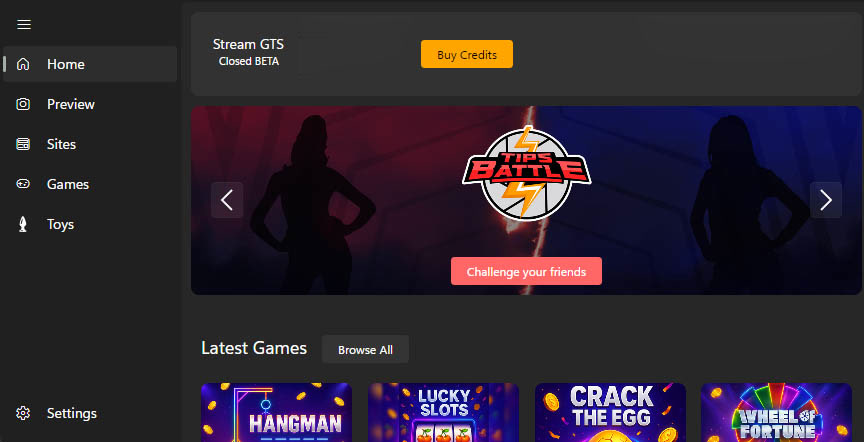
Tips Battle™
Tips Battle™ is StreamGTS's interactive game for your room. Your viewers compete with their tips, your room gets louder, and every battle keeps the energy going.
Learn moreTips Battle™ is a registered trademark (EUID 018563566). StreamGTS Games are for entertainment only. StreamGTS takes no share of your platform tokens.
Plans & Pricing
Credits never expire.
Battle counts assume all package Credits are used for Tips Battle (30 Credits per participation). Credits can also unlock other Paid Options.
One-time purchases get base Credits only. Recurring bonuses require an eligible successful payment: the first after recurring payment is activated, then eligible renewals every 30 days.
Prices exclude VAT. Applicable taxes are shown before purchase confirmation.
Frequently asked questions
The essentials on setup, platforms and Credits.
Yes. The Free Plan includes multi-streaming to supported Platforms and a set of free options. Credits are needed only for Paid Options.
The App works on Windows 10 and Windows 11 only. macOS, Linux, iOS, Android, virtual machines and compatibility layers are not supported. Check the current minimum hardware requirements before buying Credits; performance depends on your PC, internet connection and each Platform.
Direct connection is available for Chaturbate, Stripchat, MyFreeCams, BongaCams and CamSoda. Other Platforms can use the StreamGTS Video virtual camera if they accept virtual-camera input. Support and features can vary by Platform.
The App automatically optimizes stream settings according to the technical requirements of each Platform. Actual quality depends on your PC, internet connection and Platform; a specific resolution or camera count is not guaranteed.
Yes. StreamGTS integrates with Lovense, HoneyPlayBox, Kiiroo and other supported interactive toys. The App can send tip-triggered commands through the available integration; toy apps and services are provided by their manufacturers.
No. Credits do not expire. Unused Credits carry over from one 30-day period to the next while your account is active.
One Tips Battle participation costs 30 Credits per participant. The Start package includes 300 base Credits, enough for 10 participations if all Credits are used for Tips Battle. An eligible recurring payment may add +60 Credits. If all 360 Credits are used for Tips Battle, that is 12 participations.
Recurring payment is optional. A one-time purchase grants only base Credits. The package bonus is available only on eligible successful recurring payments: the first after activation and eligible renewals every 30 days. The amount depends on the package and is shown before checkout.
Yes. Every Credits purchase comes with an invoice or proof of payment. Add your company details at checkout or in your dashboard to have the invoice issued to your business.
No. The App processes your audio and video on your device and sends them directly to the Platforms you choose. StreamGTS does not record live sessions, video or audio, and does not collect or store Platform passwords. You enter passwords on each Platform login page.
Email support@streamgts.com, join our Discord server or follow the @streamgts Telegram channel.
StreamGTS for Windows
Start free with the Free Plan. Add Paid Options only when you need them.
Windows 10 & 11 Free Plan
We use strictly necessary cookies to keep the website working. With your permission, we also use optional cookies for preferences, analytics, and marketing. See our Cookie Policy for details.